
HyperOS 3 Global Arrives for Multiple Xiaomi Devices
Xiaomi just made a big move in early January 2026. The company released HyperOS 3 Global updates for dozens of smartphones and tablets at the same time. This marks one of the fastest rollouts the brand has ever done. If you own a Xiaomi, Redmi, or Poco device, you might already have access to the latest software. The update brings Android 16 to many models, along with smoother performance and smarter features.
The massive simultaneous release is exciting news for millions of users worldwide. Instead of waiting weeks or months for your region to get the update, many devices received it on the same day. This shows Xiaomi is getting better at managing global software releases. The new HyperOS 3 system feels faster from the moment you unlock your phone. Apps open quicker, animations are smoother, and battery life sees real improvements. This update is not just about a new look. It brings meaningful changes that make your phone feel brand new again.
What Makes This HyperOS 3 Global Release Different
This January rollout stands out because of its scale and speed. Xiaomi pushed updates to flagship phones, mid-range devices, and even tablets all within days. The Xiaomi 15 received its third HyperOS 3 update based on Android 16. The Poco F7 series got updates across multiple regions including Europe, India, Indonesia, Turkey, and Russia. Even older models like the Redmi Note 12 4G received new builds of HyperOS 2.2 with Android 15 improvements.
The company clearly learned from past rollouts. Previous years saw updates arrive slowly, region by region. Now the process is much faster. Users in Europe, Asia, and other markets are getting updates nearly simultaneously. This reduces confusion and helps everyone enjoy new features at the same time.
Complete List of Devices Receiving Updates
The January 2026 wave includes a wide variety of models. Here are the main devices that received updates between January 4 and January 6, 2026:
Flagship Devices
The Xiaomi 15 got its third Android 16-based update for the global MI region. The Xiaomi 15T and 15T Pro also received updates across multiple regions including Taiwan and Russia. The Xiaomi 14 received its second European update with Android 16. Premium foldables like the Xiaomi Mix Flip 2 and Mix Fold 4 got their fourth and fifth updates respectively, both running in China with Android 16.
Redmi Series Updates
The Redmi Note 14 Pro 5G (also sold as Poco X7) received its first European build of HyperOS 3 with Android 16. The standard Redmi Note 14 got its eighth update with HyperOS 2.2 and Android 15 in Europe. The Redmi 13 (which is the same as Poco M6 in some markets) received updates for both European and global MI regions. The Redmi Note 15 5G launched in India with HyperOS 2.2 based on Android 15. The Redmi K80 Ultra in China got its tenth update, showing continuous improvement.
Poco Brand Highlights
The Poco F7 Ultra received updates across five different regions at once. Europe, Indonesia, Turkey, Russia, and Taiwan all got version 3.0.3.0 or higher. The standard Poco F7 received updates in India. The Poco X7 Pro got its third European update and its first Indian update. The Poco F6 finally received its first stable HyperOS 3 update in Europe. The Poco F8 Pro reached its fourth global update with version 3.0.8.0.
Tablets Join the Party
The Redmi Pad 2 4G received its second European update based on Android 16. The Xiaomi Pad Mini also got improvements in its global version.
Technical Details and Version Numbers
Each update comes with a specific version code. These codes help users track exactly which build they have installed. For example, the Poco F7 Ultra European version shows as 3.0.5.0.WOMEUXM. The “WOM” identifies the device model, “EU” shows the European region, and “XM” stands for Xiaomi. Understanding these codes helps you know if your phone has the latest release.
The version numbers also tell you how many updates a device has received. The Redmi K80 Ultra hitting its tenth update shows Xiaomi’s commitment to continuous improvement. Even after initial releases, the company keeps refining the software to fix bugs and add features.
Key Features of HyperOS 3 Global
The new operating system brings several major improvements. Performance gets a boost through better memory management and improved background task handling. The system claims up to 30 percent faster response times compared to HyperOS 2.
The interface includes refined animations across more than 100 system screens. Everything from opening apps to switching tasks feels smoother. The new rendering engine reduces graphics load, which helps older phones perform better too.
Cross-Device Connectivity Expands
One of the biggest additions is better integration with Apple devices. You can now share files between Xiaomi phones and iPhones using a feature similar to AirDrop. iPad users can mirror their Xiaomi phone screen directly to the tablet. Mac computers can now run multiple Xiaomi phone apps in separate windows. You can even unlock your Xiaomi phone using Face ID or Touch ID from Apple devices.
These connectivity features also extend to other Xiaomi products. Pairing with Xiaomi watches, earbuds, and tablets happens faster. The entire ecosystem works together more seamlessly than before.
HyperIsland Notification System
Xiaomi introduced a new notification format called HyperIsland. It combines notification highlights with device alerts in one compact area. The design lets you see important updates at a glance. You can pull down to expand small windows and handle multiple tasks more efficiently. This feature works especially well for tracking deliveries, music playback, and incoming calls.
Improved Core Apps
The Gallery app now includes new widget options. You can pin your favorite photo albums for quick access. Search functionality got faster and more accurate. The Weather app features dynamic raindrop and temperature effects that respond to touch. The Calendar now offers a week view for better schedule planning. The Recorder app includes smart noise reduction for clearer audio playback.
How to Check for the Update
Getting the new software is simple. Open your phone’s Settings menu and go to “About Phone.” Tap on the OS version several times quickly. This unlocks the option to manually check for updates. Some users need to tap the Xiaomi logo ten times to reveal the developer option that forces an update check.
Make sure your phone has at least 60 percent battery before starting the installation. Connect to WiFi to avoid using mobile data for the large download. The update file can be several gigabytes depending on your current version. Back up important photos and files before installing any major system update. While data should remain safe, having a backup provides peace of mind.
After downloading, the installation takes about 15 to 20 minutes. Your phone will restart several times during the process. Do not interrupt the installation by powering off the device. Once complete, the phone boots into the new HyperOS 3 interface.
Understanding Region Codes
Many users wonder why their friend got the update but they did not. The answer usually involves region codes. Xiaomi releases updates in waves based on geographic regions and device variants. The version string in your phone settings contains letters that identify your region.
If you see “MI” in the version code, you have the global standard ROM. “EU” indicates the European version. “CN” means the Chinese ROM. “IN” shows the Indian variant. Each region receives updates on slightly different schedules. European versions often include different privacy features to comply with local regulations. Indian versions sometimes get unique apps or services.
Understanding your region code helps you track when the update will arrive. You can follow the official Xiaomi community forums or trusted update trackers for region-specific release schedules. Never install a ROM meant for a different region, as this can cause serious software problems.
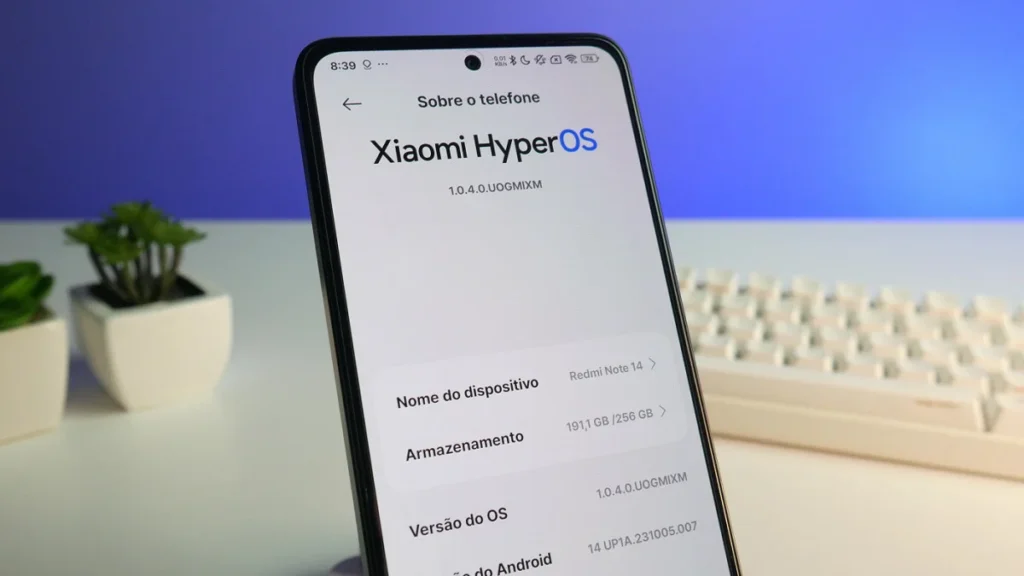
What Changed in the October to December 2025 Rollout
The journey to this January release started months earlier. Xiaomi began the stable HyperOS 3 rollout in October 2025, following an announcement made in late September. The company laid out a three-phase plan stretching from October through March 2026.
Phase one focused on flagship devices launched in late 2025. The Xiaomi 15 series, Poco F7 Ultra, and Redmi Note 14 Pro Plus were among the first to receive stable builds. Phase two expanded to popular mid-range models like the Xiaomi 14 series and Poco F6 devices. Phase three includes older but still supported models such as the Xiaomi 13 series and various Redmi Note 13 variants.
By staying informed about HyperOS 3 global October 2025 updates, users could prepare for when their specific device would receive the software. The phased approach allowed Xiaomi to catch bugs early and refine the system before reaching millions of additional devices.
The company also conducted extensive beta testing throughout 2025. Over 80 devices entered testing phases at various points. This testing helped identify performance issues, compatibility problems, and feature requests from real users. The feedback shaped the final release that arrived in January 2026.
Performance Improvements Users Notice
People upgrading to HyperOS 3 report several immediate improvements. Apps launch noticeably faster, especially heavy applications like games and photo editors. Switching between apps feels smoother with fewer dropped frames. Battery life sees gains for most users, with many reporting an extra hour or two of screen time per charge.
The system manages background tasks more intelligently. Apps you do not use stay dormant, saving processor power. When you open them again, they resume quickly without lag. This smart resource management makes older phones feel more capable.
Gaming performance also improves for supported titles. The system prioritizes graphics rendering when games are active. Frame rates stay more consistent during intense gameplay. Devices with the latest Snapdragon processors benefit most, but even mid-range chips show gains.
Some users experience temporary battery drain right after updating. This is normal and happens because the system optimizes files and rebuilds the app cache in the background. Give the phone 24 to 48 hours after installation to complete these processes. Battery life typically stabilizes and often improves compared to the previous software version.
AI Features Come to More Devices
Xiaomi HyperAI brings artificial intelligence tools to daily smartphone use. The AI note-taking feature can help write social media captions for your photos. It analyzes the image and suggests relevant text that matches the mood. The DeepThink mode provides insights by processing information from multiple sources.
AI Speech Recognition improves voice recording quality. The system reduces background noise automatically, making recordings clearer. It can convert speech to text while recording and generate instant summaries of long recordings. This helps with lectures, meetings, and voice notes.
The Gallery app now searches through ten different categories using AI. You can find specific photos by describing what you remember about them. Search for “beach sunset” or “birthday party” and the AI locates relevant images even without manual tags.
AI Translate enables real-time translation during phone calls and video conferences. It creates bilingual subtitles for recorded audio. An offline mode allows face-to-face translation without internet connection. These features prove especially useful for travelers and international business calls.
Security and Privacy Updates
The January updates include the November 2025 security patch. This addresses various vulnerabilities discovered throughout the year. Regular security patches protect against malware, hacking attempts, and data theft. Keeping your system updated is one of the best ways to stay safe online.
HyperOS 3 also introduces enhanced privacy controls. You can grant apps access to only specific photos instead of your entire gallery. Location permissions now include options for approximate location rather than precise GPS coordinates. These granular controls give you more power over your personal information.
The system displays alerts when apps access your microphone or camera. A small indicator appears in the status bar, similar to what iPhone users experience. This transparency helps you catch apps that might be using sensors without your knowledge.
Issues and Known Bugs
No major software release is perfect, and HyperOS 3 has some rough edges. Several users report issues with certain default app settings not taking effect properly. The “Do Not Disturb” mode occasionally turns off by itself for some people. The status bar color sometimes displays incorrectly in specific scenarios.
Some apps experienced compatibility problems in early builds. TikTok videos would play without sound for certain users. The game CrossFire had occasional lag spikes. Bilibili showed abnormal buffering during video playback. Screen recording from the control center did not work properly in some cases. Most of these issues have been addressed in subsequent patch updates.
The Xiaomi community actively reports bugs, and the company responds with fixes. If you encounter problems after updating, check the official forums to see if others have the same issue. Xiaomi typically releases small patch updates within weeks to address widespread problems. You can also provide feedback directly through the built-in feedback app on your phone.
Comparing HyperOS 3 to Previous Versions
The evolution from HyperOS 1 to HyperOS 3 shows clear progress. HyperOS 1 launched in October 2023 based on Android 14. It introduced the unified operating system concept, replacing the older MIUI interface. HyperOS 2 arrived in October 2024 with Android 15 as its foundation. It refined the visual design and improved system stability.
Now HyperOS 3 takes another significant step forward. The jump to Android 16 brings the latest Google improvements. Performance optimization reaches new levels with enhanced memory allocation and improved processor scheduling. The system feels more polished and consistent across different apps and screens.
Learning more about how the system has grown helps appreciate the current release. Reading about HyperOS 3 global expansion updates shows how Xiaomi continues reaching more devices and regions. Each iteration builds on lessons learned from previous versions.
The Future of Xiaomi Software Updates
Xiaomi shows no signs of slowing down its update efforts. The company committed to supporting many devices through 2029, 2030, and even 2031 for newer models. This extended support timeline means your phone remains secure and functional for years.
The rapid January 2026 rollout demonstrates improved infrastructure and planning. Xiaomi can now push updates to millions of devices simultaneously without overwhelming its servers. This efficiency benefits everyone by reducing the wait time for new features and security patches.
Looking ahead, expect more AI integration and cross-device features. The foundation laid in HyperOS 3 enables exciting possibilities for future updates. Xiaomi continues investing in software development, showing that hardware alone does not define a smartphone experience.
Complete Update Table (January 4-6, 2026)
| Device | HyperOS Version | Android Version | Update Number | Region | Date |
|---|---|---|---|---|---|
| Poco F7 | 3.0.3.0.WOLINXM | 16 | 2 | India | 04/01/2026 |
| Poco F7 Ultra | 3.0.3.0.WOMRUXM | 16 | 2 | Russia | 04/01/2026 |
| Poco F7 Ultra | 3.0.3.0.WOMTRXM | 16 | 2 | Turkey | 04/01/2026 |
| Poco F7 Ultra | 3.0.4.0.WOMIDXM | 16 | 2 | Indonesia | 04/01/2026 |
| Poco F7 Ultra | 3.0.5.0.WOMEUXM | 16 | 2 | Europe | 04/01/2026 |
| Poco F7 Ultra | 3.0.3.0.WOMTWXM | 16 | 2 | Taiwan | 04/01/2026 |
| Xiaomi 15T Pro | 3.0.4.0.WOSTWXM | 16 | 3 | Taiwan | 04/01/2026 |
| Xiaomi 15T Pro | 3.0.4.0.WOSRUXM | 16 | 2 | Russia | 04/01/2026 |
| Xiaomi 15 | 3.0.5.0.WOCMIXM | 16 | 3 | Global | 04/01/2026 |
| Redmi Note 14 | 2.0.212.0.VOGEUXM | 15 | 8 | Europe | 04/01/2026 |
| Xiaomi 14 | 3.0.6.0.WNCEUXM | 16 | 2 | Europe | 04/01/2026 |
| Poco X7 Pro | 3.0.2.0.WOJINXM | 16 | 1 | India | 04/01/2026 |
| Poco X7 Pro | 3.0.4.0.WOJEUXM | 16 | 3 | Europe | 04/01/2026 |
| Redmi Note 12S | 2.0.209.0.VHZMIXM | 15 | 6 | Global | 04/01/2026 |
| Redmi 13 / Poco M6 | 3.0.5.0.WNTMIXM | 16 | 3 | Global | 04/01/2026 |
| Redmi 13 / Poco M6 | 3.0.1.0.WNTEUXM | 16 | 1 | Europe | 04/01/2026 |
| Redmi Note 14 Pro 5G / Poco X7 | 3.0.1.0.WOOEUXM | 16 | 1 | Europe | 04/01/2026 |
| Redmi Note 12 4G | 2.0.204.0.VMTMIXM | 15 | 4 | Global | 04/01/2026 |
| Poco F6 | 3.0.3.0.WNPEUXM | 16 | 1 | Europe | 04/01/2026 |
| Poco F8 Pro | 3.0.8.0.WPKMIXM | 16 | 4 | Global | 04/01/2026 |
| Xiaomi 15S Pro | 3.0.9.0.WODCNXM | 16 | 8 | China | 06/01/2026 |
| Redmi Pad 2 4G | 3.0.3.0.WOWEUXM | 16 | 2 | Europe | 06/01/2026 |
| Xiaomi 15T | 3.0.7.0.WOEMIXM | 16 | 4 | Global | 06/01/2026 |
| Redmi Note 15 5G / Poco M8 5G | 2.0.202.0.VPQINXM | 15 | 1 | India | 06/01/2026 |
| Redmi 13 / Poco M6 | 3.0.2.0.WNTEUXM | 16 | 2 | Europe | 06/01/2026 |
| Redmi K80 Ultra | 3.0.7.0.WONCNXM | 16 | 10 | China | 06/01/2026 |
| Xiaomi Mix Fold 4 | 3.0.5.0.WNVCNXM | 16 | 5 | China | 06/01/2026 |
| Xiaomi Civi 4 Pro | 3.0.5.0.WNJCNXM | 16 | 3 | China | 06/01/2026 |
| Xiaomi Mix Flip 2 | 3.0.4.0.WOHCNXM | 16 | 4 | China | 06/01/2026 |
Tips for a Smooth Update Experience
Follow these suggestions to ensure your update goes smoothly. First, charge your phone to at least 60 percent battery. Connect to a stable WiFi network to avoid interruptions during download. Clear some storage space if your phone is nearly full. The update needs temporary space to extract files during installation.
Back up your important data before updating. Use Xiaomi Cloud, Google Photos, or transfer files to a computer. While updates rarely cause data loss, having a backup provides insurance. Take screenshots of your home screen layout and settings if you want to recreate them after updating.
After installation, give the phone time to optimize. The first 24 to 48 hours may show higher battery drain as the system processes files in the background. Restart your phone once after the initial setup completes. This helps clear any temporary issues from the installation process.
If the update fails or gets stuck, do not panic. Wait at least 30 minutes before taking action. If nothing changes, try restarting the phone and attempting the update again. Check your internet connection and storage space. In rare cases, you might need to visit a Xiaomi service center for assistance with stuck updates.
Why Simultaneous Global Releases Matter
Releasing updates simultaneously across regions benefits everyone. Users no longer feel left behind because their region receives updates later. The community can discuss new features and share tips together, regardless of location. Bug reports come in faster, helping Xiaomi identify and fix problems quickly.
This approach also reduces confusion about which features are available where. In the past, regional differences in rollout timing led to users wondering why their friend had features they did not. Now most people get the same build at roughly the same time. Regional variants still exist for legal compliance, but the core experience remains consistent.
Simultaneous releases demonstrate confidence in the software’s stability. Xiaomi would not push updates globally at once if they expected major problems. The extensive beta testing in 2025 paid off, allowing this aggressive release schedule in January 2026.
Differences Between HyperOS Launcher and Poco Launcher
While most Xiaomi devices use the standard HyperOS launcher, Poco phones often include a separate launcher with different features. Understanding these differences helps you decide which launcher works better for your needs. You can explore the detailed comparison in HyperOS Launcher vs Poco Launcher.
The Poco Launcher typically offers more customization options for app icons and drawer layouts. It focuses on speed and simplicity, appealing to users who want a streamlined experience. The HyperOS launcher includes more integrated features that work with the broader Xiaomi ecosystem. Themes and widgets often work differently between the two launchers.
After updating to HyperOS 3, some Poco devices might switch to the standard HyperOS launcher. You can usually change back to Poco Launcher through the settings if you prefer it. Having both options available gives users flexibility to choose what suits them best.
Internal Testing and Beta Programs
Before stable releases reach the public, Xiaomi conducts extensive internal testing. Several devices mentioned in the January rollout also have internal test builds in development. For example, the Poco X6 Pro (also known as Redmi K70E in some markets) has internal Android 16 builds being tested for the European region.
The Poco X6 5G, which is the same as the Redmi Note 13 Pro in China, also has internal HyperOS 3 testing underway. The Poco M6 Pro 4G (Redmi Note 13 Pro 4G) has internal builds detected for Indonesia. The Poco M6 Plus (Redmi 13 5G) shows internal testing for India. Even budget devices like the Poco C85 4G (Redmi 15C 4G) have internal test builds for the global MI region.
These internal tests happen before public beta programs. Company engineers and select testers use these builds to find major bugs before wider release. Once internal testing shows stability, builds move to public beta. After successful public beta testing, the software becomes a stable release for everyone.
Users interested in trying new features early can join Xiaomi’s Mi Pilot program. Beta testers get updates before the general public but accept some risk of bugs and instability. Beta software should not be installed on your primary device if you rely on it for important daily tasks.
Device Recommendations for Long-Term Support
If you plan to buy a new Xiaomi device and want guaranteed long-term support, focus on recent flagship and upper mid-range models. The Xiaomi 15 series will receive updates through at least 2029. The Poco F7 series and Redmi Note 14 Pro models also have extended support timelines. Even the Redmi Note 13 series continues receiving regular updates well into 2026.
Budget devices like the Redmi 13 and Poco M6 also get updates, though the support period is typically shorter than flagships. Still, these phones receive security patches and feature updates for several years. Xiaomi has improved its commitment to supporting older devices compared to previous years.
When shopping for a phone, check if it already ships with HyperOS 3 or is confirmed to receive it soon. Devices launching in 2026 will likely come with HyperOS 3 pre-installed, saving you the update process. Older models from 2023 and 2024 still get updates but may reach their support end dates sooner.
Community Resources and Update Trackers
Staying informed about updates requires following reliable sources. The TECnoVas innovate update tracker provides real-time information about which devices are receiving updates and when. The tracker shows ROM versions, region codes, and update numbers for easy reference.
Official Xiaomi community forums also post announcements about new updates. Regional forums discuss specific issues and experiences from local users. These communities help troubleshoot problems and share tips for getting the most from your device.
Social media groups dedicated to Xiaomi devices can be helpful but verify information from multiple sources. Not all claims about update releases prove accurate. Stick to official channels and trusted tech news sites for the most reliable information.
YouTube channels specializing in Xiaomi updates often post videos showing new features and installation guides. Video walkthroughs can help less technical users navigate the update process confidently. Just make sure the channel has a good track record of accurate information.
Conclusion
The January 2026 HyperOS 3 Global rollout shows Xiaomi at its best. Multiple devices across all price ranges received updates within just a few days. The new software brings Android 16 to millions of phones worldwide, delivering better performance, smarter AI features, and improved cross-device connectivity. Whether you own a flagship Xiaomi 15 or a budget-friendly Redmi Note 12, the update makes your phone better.
The simultaneous multi-region release demonstrates Xiaomi’s improved software infrastructure. No longer do users wait months for updates to reach their region. Everyone benefits from new features and security patches at roughly the same time. This approach builds confidence in the brand and keeps devices competitive longer.
If your device appears in the update list, check your settings and install the new software. Back up your data first and make sure you have adequate battery and storage space. The installation process is straightforward and brings noticeable improvements to daily phone use. For those still waiting, keep an eye on the official update tracker and community forums for news about when your device will receive HyperOS 3.
Stay connected with TECnoVas innovate to track all the latest updates and changes in the Xiaomi ecosystem. The next wave of updates will continue through March 2026, bringing HyperOS 3 to even more devices. The future of Xiaomi software looks bright, with continued improvements and expanding device support.
FAQ: Frequently Asked Questions
1. What is HyperOS 3 Global and why does it matter?
HyperOS 3 is Xiaomi’s newest operating system based on Android 16, bringing faster performance and AI features to supported devices globally.
2. How can I force the HyperOS 3 update to download?
Go to Settings, tap About Phone, then tap the OS version or Xiaomi logo repeatedly until you see the option to check for updates manually.
3. Will updating to HyperOS 3 delete my photos and apps?
No, the update preserves your data, but always create a backup of important files before installing any major system update for safety.
4. Why does the Poco F7 have the update but my phone does not?
Updates roll out in phases based on device models and regions. Newer flagship phones typically receive updates before older models.
5. What does the region code in my ROM version mean?
The letters in your version show your device region: MI means Global, EU means Europe, CN means China, IN means India, and so on.
6. Is it safe to install HyperOS 3 on my older Xiaomi phone?
Yes, if your device appears on the official update list, Xiaomi tested the software specifically for your model to ensure compatibility.
7. My battery drains faster after updating, is this normal?
Yes, initial battery drain is normal for 24-48 hours while the system optimizes in the background. Battery life typically improves after this period.
8. Where can I track real-time HyperOS 3 update releases?
Follow the TECnoVas innovate update tracker for real-time information about which devices receive updates in your region.

Valberth Vas, the expert behind TecnoVas Innovate, is the author of the company’s reviews and guides. His vast experience in the world of technology, with a particular focus on Xiaomi’s innovations, allows him to offer in-depth insights and clear guidance on the current technological landscape.