
HyperOS 3 Global: Xiaomi Releases Android 16 Updates Now
Xiaomi is rolling out HyperOS 3 Global updates based on Android 16 to dozens of devices right now. This massive wave brings the latest features to phones and tablets across multiple regions. If you own a Xiaomi, Redmi, or Poco device, your update might already be waiting.
The company started pushing these updates on January 27, 2026. Many popular models are getting their first taste of Android 16. Others are receiving their second, third, or even sixth update. This shows Xiaomi’s commitment to keeping devices current.
What Makes This Update Wave Special
This isn’t just another routine patch. Xiaomi is deploying HyperOS 3 to multiple regions at once. Europe, Russia, Taiwan, Indonesia, India, Turkey, and Japan are all receiving updates. The Global region is also getting fresh builds for many devices.
Each region gets a specific build number. These builds are tailored for local requirements and carrier needs. You might see different version numbers depending on your location.
The updates arrive via Mi Pilot or regular OTA notifications. Some users report faster access by switching regions temporarily. This is a common workaround when updates roll out gradually.
For more context on how Xiaomi structures its launcher updates, check out our comparison between HyperOS Launcher vs POCO Launcher. Understanding these differences helps you make informed decisions about your device setup.
Devices Receiving HyperOS 3 Updates Today
The list of devices getting updates is extensive. Here’s what Xiaomi released in this latest batch:
Flagship Models:
- Xiaomi 15T Pro (multiple regions)
- Xiaomi 14T Pro (Indonesia, Russia, Taiwan)
- Xiaomi 13 Ultra (Global, Russia, Taiwan)
- Xiaomi 13 Pro (Europe)
- Xiaomi 13T (Global, Android 15)
Mid-Range Champions:
- Poco X7 Pro (Europe, Taiwan, Russia, India)
- Poco X7 (Indonesia, Taiwan, India)
- Poco X6 Pro (Europe)
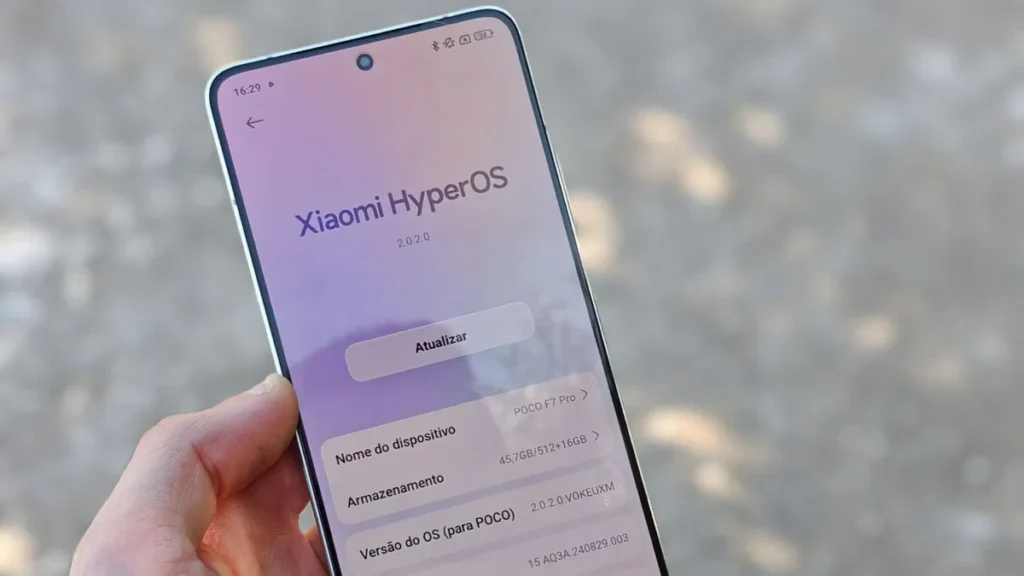
- Poco F7 Pro (Global)
- Poco F6 Pro (Russia, Taiwan)
- Poco F8 Ultra (Europe, Taiwan)
Budget Options:
- Redmi Note 14 Pro Plus 5G (Russia, Taiwan, Indonesia)
- Redmi Note 14 Pro 5G (same as Poco X7)
- Redmi Note 14 5G (Global, Android 15)
- Redmi 15 / Poco M7 (Turkey)
Tablets:
- Xiaomi Pad 7 Pro (Global)
- Redmi Pad 2 (Europe)
Special Mentions:
- Xiaomi 15T (Indonesia, Russia)
- Xiaomi 14T (Europe, Taiwan, Turkey)
The Poco X7 deserves special attention. Multiple users report rapid battery drain on the current build (version 3.0.6.0). The device charges fast but also discharges quickly. Xiaomi needs to address this in future patches.
If you’re tracking updates for the Poco X7 Pro specifically, our detailed guide on the HyperOS 3 Global Poco X7 Pro update provides step-by-step installation instructions and troubleshooting tips.
Android 16 Features in HyperOS 3
Android 16 brings meaningful improvements to performance and efficiency. Xiaomi built HyperOS 3 on top of this foundation. Users get both Google’s core enhancements and Xiaomi’s custom features.
Performance Enhancements
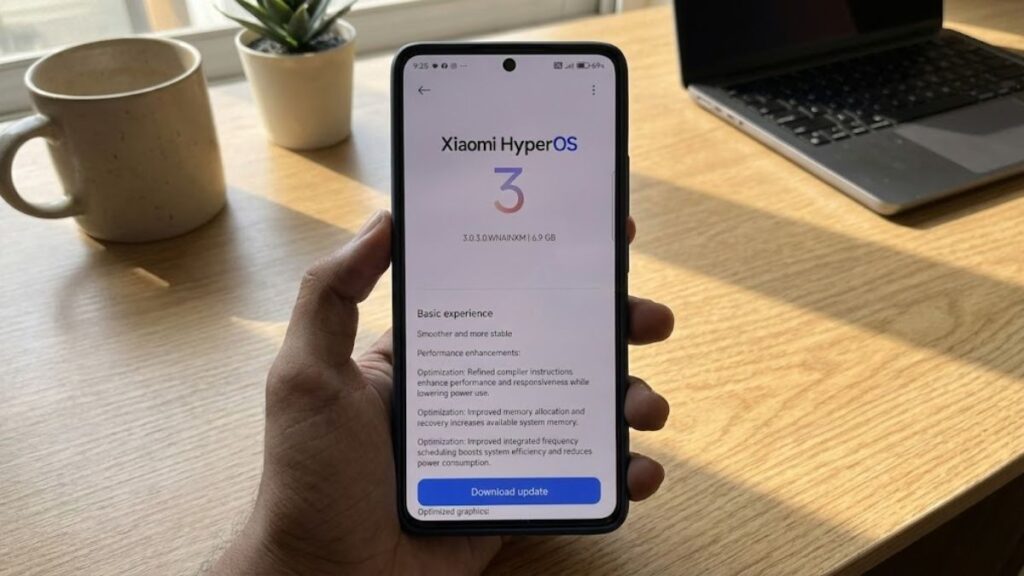
The system runs smoother thanks to refined compiler instructions. These changes boost responsiveness while reducing power consumption. Memory management also received improvements.
The new memory allocation system increases available RAM. This helps when running multiple apps simultaneously. Background processes use resources more efficiently.
Integrated frequency scheduling got better too. The processor switches between performance and efficiency cores more intelligently. This reduces power consumption without sacrificing speed.
Short-video playback now uses less battery. Apps like TikTok, Instagram Reels, and YouTube Shorts benefit from these optimizations. You can scroll longer before needing to charge.
Graphics and Animation Updates
A new window-rendering mechanism reduces the load on the GPU. System animations feel smoother across 100+ different scenes. Transitions between apps look more natural and fluid.
Xiaomi fine-tuned these animations based on user feedback. The result is a more polished experience throughout the interface. Every swipe, tap, and transition feels refined.
Many Redmi Note 13 Pro and Poco X6 users have been eagerly waiting for this update. Our comprehensive coverage of the HyperOS 3 Global Redmi Note 13 Pro Poco X6 rollout explains what to expect and how to prepare your device.
Cross-Device Connectivity Features
HyperOS 3 introduces deep integration with Apple’s ecosystem. This is a surprising move that opens new possibilities for users with multiple devices.
iPad Integration
The new “Home Screen Plus” feature mirrors your Xiaomi phone content to an iPad. You can view notifications, messages, and apps on the larger screen. This works wirelessly over your local network.
You need iOS 14 or iPadOS 14 at minimum. The latest version of Xiaomi Interconnectivity must be installed on your Apple device. Setup takes just a few minutes.
Mac Connectivity
Connecting to your Xiaomi phone via hotspot becomes one-tap simple. Your Mac can also see your phone’s location. This helps when you misplace your device.
You can now open multiple phone apps on your Mac simultaneously. Window sizes are adjustable. This makes multitasking between devices seamless.
Cross-Device Unlocking
Use your Xiaomi tablet’s fingerprint or password to unlock your phone. This works across Xiaomi devices. The feature uses secure encrypted communication.
Apple device owners get similar benefits. Touch ID, Face ID, or password entry on iPhone, iPad, or Mac can unlock your Xiaomi phone. This requires macOS 12 or later.
Users curious about earlier HyperOS 3 rollouts can reference our analysis of the POCO F5 HyperOS 3 Android 15 update, which shows how Xiaomi has refined the update process over time.
Xiaomi HyperIsland Notification System
The notification system got a complete redesign. Xiaomi HyperIsland combines traditional notifications with a spotlight feature. Important updates reach you faster.
The new UI lets you see all details at a glance. Switching between different notification types feels smoother. You can pull down to expand small windows for more information.
This format makes handling multiple tasks more efficient. Quick replies work better. Media controls are more accessible. The entire experience feels more intuitive.
System App Improvements
Xiaomi updated many built-in apps with new features and better interfaces.
Gallery Enhancements
New widget options let you display your favorite photo collections. You can pin albums for quick access. The search function now finds photos faster with improved accuracy.
These changes make managing large photo libraries easier. Finding that specific picture from six months ago takes seconds instead of minutes.
Weather App Redesign
The start page now features dynamic raindrop and temperature effects. These animations respond to your touch. Content cards use improved blur effects for smoother scrolling.
The weather app feels more immersive. Information presentation is clearer. Hourly and daily forecasts are easier to read at a glance.
Calendar Updates
Week view gives a clear picture of your upcoming schedule. Month view got better visual highlights for holidays and important events. Navigation between views is faster.
Calendar integration with other apps improved too. Adding events from messages or emails works more reliably.
Recorder Improvements
Categories on the start page use accurate icons. This helps you locate recordings faster. Playback quality increased with smart noise reduction. Voices sound clearer.
These updates make the Recorder app more useful for students, professionals, and anyone who captures audio notes.
The broader HyperOS 3 Global expansion affects many more devices than this single update wave. Learn about the extended rollout timeline in our article covering HyperOS 3 Global expands updates.
Privacy and Security Upgrades
HyperOS 3 takes data protection seriously. The system includes advanced safeguards for your personal information.
Redesigned Security Interface
Privacy and password features got a cleaner, fresher interface. Settings are easier to find and understand. The layout makes managing permissions simpler.
Navigation through security options feels more intuitive. You can review app permissions quickly. Adjusting privacy settings takes fewer taps.
Post-Quantum Encryption
Advanced data protection now uses post-quantum encryption. This future-proofs your data against emerging threats. Even powerful quantum computers won’t easily crack this protection.
Your personal information stays secure even as technology evolves. This encryption protects locally stored data and cloud backups.
Visual Design Overhaul
The entire interface received visual refinements. Every screen looks cleaner and more polished.
Home Screen Updates
Icons appear sharper with more detail. The grid layout uses better-balanced margins. Spacing between icons feels more comfortable. These small changes add up to a noticeably better experience.
The status bar got a new design too. It looks cleaner and more refined. Information is easier to read at a glance. Font rendering improved across the system.
Lock Screen Enhancements
A new large-clock design adds depth and layers. The Lock screen feels more sophisticated. Customization options expanded significantly.
The all-in-one editor lets you adjust Home screen and Lock screen wallpapers simultaneously. This saves time when personalizing your device. Changes preview in real-time.
Design System Updates
Color comfort improved throughout the interface. Rounded corners are now unified across the entire system. Controls are easier to use with better touch targets.
The overall look and feel is more consistent. Every element follows the same design language. This creates a cohesive visual experience.
For those wanting to stay completely up-to-date, bookmark our HyperOS 3 Global update tracker for real-time information on all device rollouts.
Complete Update Information Table
| Device | HyperOS 3 Version | Android Version | Update Number | Region |
|---|---|---|---|---|
| REDMI Note 14 Pro+ 5G | 3.0.1.0.WOPRUXM | 16 | 1 | Russia |
| POCO X7 Pro | 3.0.5.0.WOJEUXM | 16 | 4 | Europe |
| POCO X7 Pro | 3.0.5.0.WOJTWXM | 16 | 2 | Taiwan |
| POCO X7 Pro | 3.0.5.0.WOJRUXM | 16 | 2 | Russia |
| Xiaomi 13T | 2.0.213.0.VMFMIXM | 15 | 9 | Global |
| POCO X6 Pro | 3.0.3.0.WNLEUXM | 16 | 1 | Europe |
| REDMI Note 14 Pro+ 5G | 3.0.1.0.WOPTWXM | 16 | 1 | Taiwan |
| Xiaomi 13 Ultra | 3.0.2.0.WMAMIXM | 16 | 2 | Global |
| Xiaomi 15T Pro | 3.0.10.0.WOSMIXM | 16 | 6 | Global |
| Xiaomi 15T Pro | 3.0.12.0.WOSEUXM | 16 | 6 | Europe |
| Xiaomi 15T Pro | 3.0.5.0.WOSJPXM | 16 | 1 | Japan |
| Xiaomi 14T Pro | 3.0.1.0.WNNIDXM | 16 | 1 | Indonesia |
| Xiaomi 14T Pro | 3.0.1.0.WNNRUXM | 16 | 1 | Russia |
| Xiaomi 14T Pro | 3.0.1.0.WNNTWXM | 16 | 1 | Taiwan |
| REDMI Note 14 Pro+ 5G | 3.0.2.0.WOPIDXM | 16 | 1 | Indonesia |
| Xiaomi 14T | 3.0.6.0.WNEEUXM | 16 | 2 | Europe |
| Xiaomi 14T | 3.0.1.0.WNETWXM | 16 | 1 | Taiwan |
| REDMI Note 14 Pro 5G / POCO X7 | 3.0.1.0.WOOIDXM | 16 | 1 | Indonesia |
| REDMI Note 14 Pro 5G / POCO X7 | 3.0.1.0.WOOTWXM | 16 | 1 | Taiwan |
| REDMI Note 14 Pro 5G / POCO X7 | 3.0.3.0.WOOINXM | 16 | 1 | India |
| POCO F7 Pro | 3.0.8.0.WOKMIXM | 16 | 3 | Global |
| Xiaomi Pad 7 Pro | 3.0.7.0.WOYMIXM | 16 | 3 | Global |
| Xiaomi 14T | 3.0.1.0.WNETRXM | 16 | 1 | Turkey |
| REDMI 15 / POCO M7 | 3.0.1.0.WBOTRXM | 16 | 1 | Turkey |
| Xiaomi 15T | 3.0.3.0.WOEIDXM | 16 | 2 | Indonesia |
| Xiaomi 15T | 3.0.5.0.WOERUXM | 16 | 3 | Russia |
| POCO F6 Pro | 3.0.2.0.WNKRUXM | 16 | 2 | Russia |
| POCO F6 Pro | 3.0.3.0.WNKTWXM | 16 | 2 | Taiwan |
| Xiaomi 13 Ultra | 3.0.1.0.WMARUXM | 16 | 1 | Russia |
| Xiaomi 13 Ultra | 3.0.1.0.WMATWXM | 16 | 1 | Taiwan |
| REDMI Pad 2 | 3.0.3.0.WOVEUXM | 16 | 1 | Europe |
| POCO F8 Ultra | 3.0.7.0.WPMEUXM | 16 | 3 | Europe |
| POCO F8 Ultra | 3.0.5.0.WPMTWXM | 16 | 3 | Taiwan |
| POCO X7 Pro | 3.0.4.0.WOJINXM | 16 | 2 | India |
| Xiaomi 13 Pro | 3.0.2.0.WMBEUXM | 16 | 1 | Europe |
| Redmi Note 14 5G | 2.0.210.0.VOQMIXM | 15 | 6 | Global |
How to Install Your Update
Getting HyperOS 3 on your device depends on your region and device model. Here are the main installation methods:
OTA Update (Official)
This is the safest and easiest method. Go to Settings, then About Phone, then System Update. Tap “Check for updates.” If available, download and install.
The update size varies by device. Expect between 3GB to 5GB for major Android version updates. Make sure you have stable WiFi and at least 50% battery.
Mi Pilot Program
Some updates arrive via Mi Pilot first. This is Xiaomi’s beta testing program. You need to enroll your device to receive early access.
Go to System Update settings and look for Mi Pilot enrollment. Follow the instructions to join. Remember that pilot builds may have bugs.
Region Switching
If your region hasn’t received the update yet, switching regions might help. Go to Additional Settings, then Region. Select a region where the update is available.
This method works but comes with risks. You might lose some region-specific features. Always backup your data first. Switch back to your original region after updating if needed.
Users looking for specific guidance on the Redmi Note 14 Pro and Poco X7 update process should visit our dedicated article on HyperOS 3 Global Redmi Note 14 Pro Poco X7, which includes detailed installation steps.
Manual Installation
Advanced users can install updates manually using Recovery Mode. This requires downloading the full ROM package. Visit Xiaomi’s official forum or community channels for ROM files.
Flash the ROM through the built-in updater or Recovery Mode. This method is riskier and can void warranties if done incorrectly. Only proceed if you understand the process fully.
Known Issues and Solutions
Every major update comes with some challenges. Here are the current known issues:
Battery Drain on Poco X7
Multiple users report faster battery discharge on build 3.0.6.0. The device charges quickly but also drains faster than expected. Xiaomi is aware of this issue.
Temporary solutions include:
- Reducing screen brightness
- Disabling unnecessary background apps
- Using battery saver mode when needed
- Waiting for the next patch update
Update Not Appearing
If you don’t see the update notification:
- Check your region settings
- Ensure you have stable internet
- Clear cache on System Update app
- Try checking at different times
- Consider joining Mi Pilot
Installation Failed
If installation fails:
- Free up more storage space
- Charge battery above 50%
- Restart device and try again
- Download the update fresh
- Contact Xiaomi support if problems persist
App Compatibility
Some third-party apps might not work correctly immediately after updating. Developers need time to adapt to Android 16 changes. Check for app updates in the Play Store.
Most major apps update within days of a new Android release. Banking apps and security apps typically take longer.
Update Frequency Breakdown
Looking at the table above, we see interesting patterns:
- Some devices receive their sixth update (Xiaomi 15T Pro, Redmi Note 14 5G)
- Many devices get their first Android 16 taste (multiple models)
- Regional variations show different update speeds
- Europe and Global regions often receive more frequent updates
- Some regions like Japan and Turkey are catching up
The Xiaomi 13T stands out still running HyperOS 2.2 with Android 15. This device has received nine updates so far. Its Android 16 update is likely coming soon.
Understanding which launcher works best for your needs is crucial. Our guide on the new POCO Launcher update install optimize helps you get the most from your device’s interface.
Regional Rollout Strategy
Xiaomi follows a phased rollout approach. This helps identify bugs before widespread deployment.
Global region usually comes first or second. Europe follows closely behind. Taiwan, Russia, and India typically receive updates in waves. Indonesia, Turkey, and Japan sometimes wait longer.
This strategy makes sense from a testing perspective. Bugs found in early regions get fixed before the update reaches others. Users in later regions get more stable builds.
However, this can frustrate users in regions that consistently wait longer. Community workarounds like region switching become popular.
What’s Next for HyperOS 3
Xiaomi will continue rolling out updates to more devices. Older flagship phones and popular mid-range models should receive HyperOS 3 in coming weeks and months.
The company typically supports devices for two to three major Android versions. Budget phones might get fewer updates than flagships. Tablets follow their own schedule.
Future updates will likely fix current issues like battery drain. Feature additions might arrive in point releases (3.0.x.x to 3.1.x.x).
Xiaomi listens to community feedback. Improvements requested by users often appear in later updates. The company maintains active forums where users can report issues.
Why These Updates Matter
Android 16 brings security patches and performance improvements. Staying updated protects your device from vulnerabilities. New features enhance daily use.
HyperOS 3 adds Xiaomi’s customizations on top of Android. These features differentiate Xiaomi devices from competitors. Cross-device connectivity and refined animations make the experience unique.
Regular updates show manufacturer commitment. Xiaomi supporting dozens of devices simultaneously demonstrates strong after-sales support. This matters when choosing a new phone.
The combination of Google’s Android improvements and Xiaomi’s custom features creates a compelling package. Users get both stability and innovation.
Community Response
The update rollout generated significant discussion in Xiaomi communities. Users share experiences across forums, Telegram groups, and social media.
Many report smooth installations. Others encounter problems specific to their devices or regions. The community helps troubleshoot issues quickly.
Telegram channels dedicated to Xiaomi updates have grown substantially. Some channels have over 8,000 members. These communities share ROM files, installation guides, and workarounds.
YouTube creators publish update videos showing new features. These videos help users decide whether to update immediately or wait. Visual demonstrations reveal UI changes better than text descriptions.
Comparing HyperOS 3 to Previous Versions
HyperOS 3 represents a significant step forward from HyperOS 2. Performance improvements are noticeable. Animation smoothness increased across the board.
Android 16 foundation provides better memory management than Android 15. Apps launch faster. Multitasking feels smoother. Battery efficiency improved in most cases (except current Poco X7 issues).
The visual redesign makes the interface look more modern. Icons are sharper. Colors are more comfortable. The overall aesthetic improved significantly.
Cross-device features didn’t exist in previous versions. HyperOS 3 brings genuine innovation here. Apple ecosystem integration is particularly noteworthy.
Installation Tips for Best Results
Follow these recommendations for smooth updates:
Before Updating:
- Backup all important data
- Charge battery to at least 60%
- Connect to stable WiFi
- Free up 10GB storage space
- Close all running apps
- Note your current version number
During Update:
- Don’t interrupt the process
- Keep phone plugged in
- Don’t use the device
- Be patient (takes 15-30 minutes)
- Don’t restart manually
After Updating:
- Let device optimize apps (can take time)
- Check all settings and preferences
- Update apps from Play Store
- Monitor battery life for a few days
- Report any issues to Xiaomi
- Join community forums for tips
Complete Device List Summary
Phones Getting Android 16:
- Poco X7 Pro
- Poco X7
- Poco X6 Pro
- Poco F7 Pro
- Poco F6 Pro
- Poco F8 Ultra
- Redmi Note 14 Pro Plus 5G
- Redmi Note 14 Pro 5G
- Redmi 15 / Poco M7
- Xiaomi 15T Pro
- Xiaomi 15T
- Xiaomi 14T Pro
- Xiaomi 14T
- Xiaomi 13 Ultra
- Xiaomi 13 Pro
Tablets Getting Android 16:
- Xiaomi Pad 7 Pro
- Redmi Pad 2
Phones Still on Android 15:
- Xiaomi 13T
- Redmi Note 14 5G
Staying Informed About Updates
Keeping track of updates requires monitoring multiple sources:
Official Channels:
- Xiaomi Community forums
- Official Xiaomi social media
- System Update app notifications
- Xiaomi website news section
Community Sources:
- Telegram update channels
- Xiaomi community
- XDA Developers forum
- YouTube tech channels
- Update tracking websites
Set notifications on these channels for immediate alerts. Community sources often report updates before official announcements.
Final Thoughts on This Update Wave
This massive rollout shows Xiaomi’s scale and commitment. Updating dozens of devices across multiple regions simultaneously requires significant resources.
Users benefit from relatively quick access to latest Android features. The phased approach balances speed with stability. Most devices will eventually receive HyperOS 3.
Some issues like battery drain need addressing. However, the overall update brings substantial improvements. Performance gains and new features justify the upgrade.
Whether you update immediately or wait depends on your device and region. Reading community feedback helps make informed decisions. Monitor for patches if you encounter problems.
The update tracker shows real-time status for all devices. Checking regularly keeps you informed about your specific model. New regions and devices are added as rollout continues.
HyperOS 3 based on Android 16 represents Xiaomi’s vision for modern smartphone software. The combination works well for most users. Future refinements will address current shortcomings.
Frequently Asked Questions
Q: When will my Xiaomi device get HyperOS 3? A: Check the official update tracker regularly. Rollouts happen in waves across different regions. Your device might receive the update within weeks.
Q: Is HyperOS 3 stable enough for daily use? A: Most devices run stable builds. Some like Poco X7 have battery issues. Check community feedback for your specific device before updating.
Q: Can I downgrade from HyperOS 3 to HyperOS 2? A: Downgrading is possible but risky. It requires unlocking bootloader and manual flashing. This might void warranty. Proceed only if necessary.
Q: Why don’t I see the update notification? A: Updates roll out gradually. Your region might not have access yet. Try changing regions temporarily or joining Mi Pilot program for early access.
Q: Does HyperOS 3 improve battery life? A: Generally yes, except for Poco X7 currently. Android 16 optimizations reduce power consumption for most users. Results vary by device and usage.
Q: Are all my apps compatible with Android 16? A: Most apps work fine. Some may need updates from developers. Check Play Store for app updates after installing HyperOS 3 on your device.
Q: How much storage space does the update need? A: Expect 3-5GB download size for major updates. You need at least 10GB free space total for installation process and temporary files.
Q: Will updating delete my data? A: OTA updates preserve data. However, always backup before updating. Manual flashing methods might wipe data depending on procedure used.
If you want to dive deeper into Xiaomi updates and stay informed about the latest developments, check out our comprehensive update tracker for HyperOS 3 Global with real-time information on all device rollouts.